


澳門國際馬拉松
在電腦上使用BlueStacks –受到5億以上的遊戲玩家所信任的Android遊戲平台。

Play Macao Marathon on PC or Mac
Macao Marathon brings the Sports genre to life, and throws up exciting challenges for gamers. Developed by Macao Sports Bureau, this Android game is best experienced on BlueStacks, the World’s #1 app player for PC and Mac users.
Macao Marathon is not an arcade runner, it is the official companion for the real race. Think schedules, route maps, and live results all in one place, so runners and followers can keep up without hunting through random posts. The event has a long history and the app leans into that, giving a clean snapshot of what is happening, where the course goes, and how the timing is looking once people start crossing mats. It feels practical more than flashy, but that fits. Tapping through for course details, then checking results as they update, gives the sense of watching a big city race come together in real time. There is also built in sharing, so people can push results or race info to social feeds without messing with screenshots.
On PC with BlueStacks it is surprisingly comfortable. The course maps are easier to read on a larger screen, scrolling the information feels smoother with a mouse, and alt tabbing to other stuff while waiting on results is simple. Anyone hoping for a lane changing runner game will not find that here, this is a helper app. For runners, supporters, or just race nerds who want quick info and a clean map, it does the job, no fuss, no weird menus hiding the basics.
Ready to top the leaderboard? We bet you do. Let precise controls and sharp visuals optimized on BlueStacks lead you to victory.
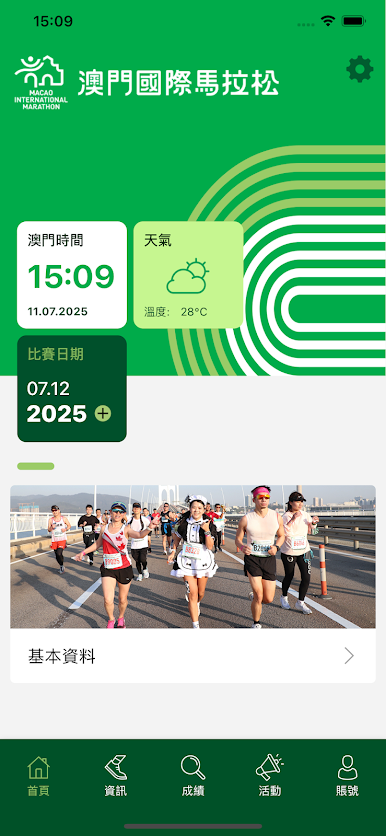
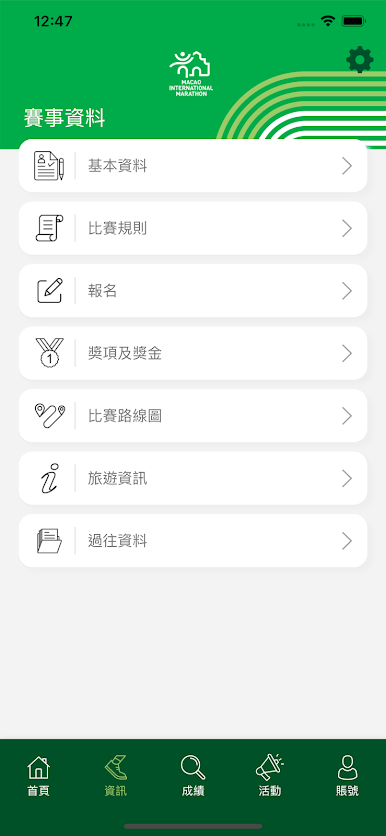

在電腦上遊玩澳門國際馬拉松 . 輕易上手.
-
在您的電腦上下載並安裝BlueStacks
-
完成Google登入後即可訪問Play商店,或等你需要訪問Play商店十再登入
-
在右上角的搜索欄中尋找 澳門國際馬拉松
-
點擊以從搜索結果中安裝 澳門國際馬拉松
-
完成Google登入(如果您跳過了步驟2),以安裝 澳門國際馬拉松
-
在首頁畫面中點擊 澳門國際馬拉松 圖標來啟動遊戲

