


Esame dell'Udito Pro
Gioca su PC con BlueStacks: la piattaforma di gioco Android, considerata affidabile da oltre 500 milioni di giocatori.

Pagina modificata il: Dec 31, 2025
Gioca Esame dell'Udito Pro per PC
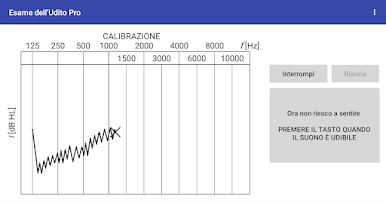
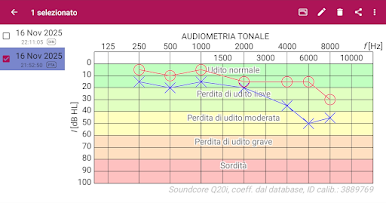
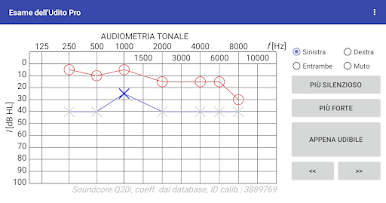
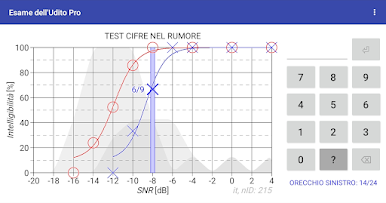
L'audiometria a toni puri determina il grado di perdita uditiva in funzione della frequenza del suono. Il test consiste nell’individuare il suono più debole che si è in grado di percepire, stabilendo così la propria soglia uditiva. Il test “Cifre nel rumore” valuta l’intelligibilità del parlato e consiste nel riconoscimento delle cifre presentate in mezzo al rumore.
Caratteristiche dell’app “Esame dell'Udito”:
* audiometria a toni puri (utilizzando le cuffie in dotazione e i coefficienti di calibrazione predefiniti nella banca dati),
* test “Cifre nel rumore” per misurare l’intelligibilità del parlato,
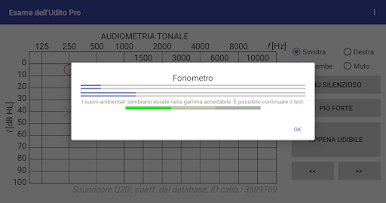
* misuratore di rumore per valutare il rumore di fondo durante il test,
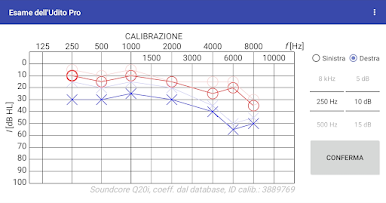
* calibrazione del dispositivo (in assenza di una calibrazione predefinita o quando si utilizzano cuffie diverse da quelle in dotazione).
Caratteristiche aggiuntive:
* audiometria ad alta frequenza,
* classificazione della perdita uditiva,
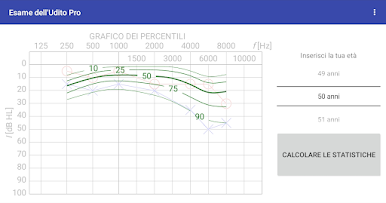
* confronto con i valori normativi per età,
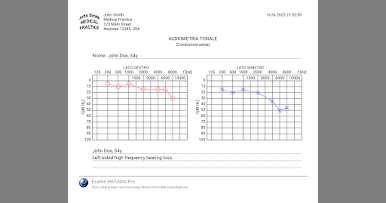
* stampa dei risultati dei test,
* aggiunta di note,
* regolazione della calibrazione (i coefficienti di calibrazione possono essere regolati sulla base dei risultati ottenuti con l’audiometro clinico),
* verifica dei coefficienti di calibrazione.
Caratteristiche della versione Pro:
* database locale (accesso offline ai risultati dei test, senza la necessità di connettersi al server),
* sincronizzazione (i risultati dei test possono essere memorizzati nel cloud; i dati sono facili da recuperare, possono essere trasferiti tra dispositivi e consultati su più dispositivi),
* controllo manuale dello stimolo nell’audiometria tonale (è possibile attivare e disattivare manualmente lo stimolo durante il test).

Gioca Esame dell'Udito Pro su PC. È facile iniziare.
-
Scarica e installa BlueStacks sul tuo PC
-
Completa l'accesso a Google per accedere al Play Store o eseguilo in un secondo momento
-
Cerca Esame dell'Udito Pro nella barra di ricerca nell'angolo in alto a destra
-
Fai clic per installare Esame dell'Udito Pro dai risultati della ricerca
-
Completa l'accesso a Google (se hai saltato il passaggio 2) per installare Esame dell'Udito Pro
-
Fai clic sull'icona Esame dell'Udito Pro nella schermata principale per iniziare a giocare

