


趣味兒童數學&邏輯:加法、减法、九九乘法表、知育(算數學)
在電腦上使用BlueStacks –受到5億以上的遊戲玩家所信任的Android遊戲平台。

Play Math&Logic games for kids on PC or Mac
Math&Logic games for kids brings the Educational genre to life, and throws up exciting challenges for gamers. Developed by Speedymind LLC, this Android game is best experienced on BlueStacks, the World’s #1 app player for PC and Mac users.
About the Game
If you’re looking for a way to make math a little more fun for your kids, Math&Logic games for kids by Speedymind LLC might just be the ticket. This colorful Educational game brings a playful twist to learning, letting kids practice their math and logic skills while hanging out with a quirky unicorn guide. The game adapts to different grade levels, so whether your child is just starting out in Kindergarten or already cruising through fourth grade, there’s something here to keep them interested and challenged.
Game Features
-
Adjustable Difficulty Levels
Pick the math operations and logic puzzles that fit your child’s grade, from Kindergarten basics all the way up to trickier mental math for fourth graders. -
Math Practice
Covers addition, subtraction, multiplication, and division with hundreds of mini-games designed to build confidence and skill at every step. -
Logic and Attention Games
It’s not all numbers—kids will also work through clever puzzles involving patterns, analogies, and attention challenges (like matching shadows or spotting differences). -
Motivating Rewards
Each completed challenge unlocks fun rewards, which keeps kids wanting to come back for more practice without it feeling like a chore. -
Kid-Friendly Design
Bright visuals, fun characters (yep, that unicorn makes regular appearances), and creative tasks help turn study time into a game kids actually want to play. -
Plenty of Content
With over 500 tasks to choose from, Math&Logic games for kids offers a lot of variety for every level and learning style. -
Smooth Play on BlueStacks
For families that prefer a bigger screen, the game works well on BlueStacks too, giving you another way to set up a relaxed, distraction-free study session.
Get ready for a buttery smooth, high-performance gaming action only on BlueStacks.

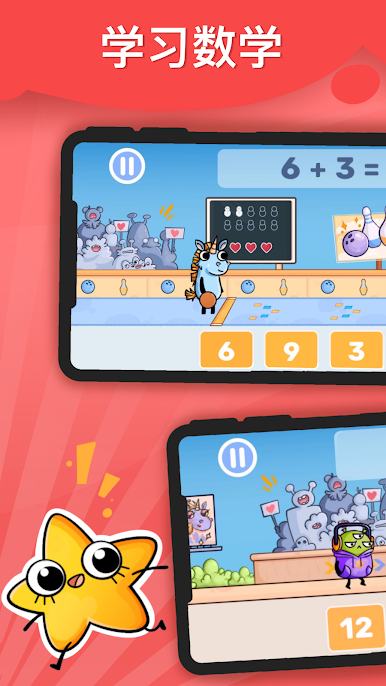







在電腦上遊玩趣味兒童數學&邏輯:加法、减法、九九乘法表、知育(算數學) . 輕易上手.
-
在您的電腦上下載並安裝BlueStacks
-
完成Google登入後即可訪問Play商店,或等你需要訪問Play商店十再登入
-
在右上角的搜索欄中尋找 趣味兒童數學&邏輯:加法、减法、九九乘法表、知育(算數學)
-
點擊以從搜索結果中安裝 趣味兒童數學&邏輯:加法、减法、九九乘法表、知育(算數學)
-
完成Google登入(如果您跳過了步驟2),以安裝 趣味兒童數學&邏輯:加法、减法、九九乘法表、知育(算數學)
-
在首頁畫面中點擊 趣味兒童數學&邏輯:加法、减法、九九乘法表、知育(算數學) 圖標來啟動遊戲

