


Shabbat & Holiday Times
เล่นบน PC ผ่าน BlueStacks - Android Gaming Platform ที่ได้รับความไว้วางใจจากเกมเมอร์ 500 ล้านคนทั่วโลก

Page Modified on: May 23, 2024
Run Shabbat & Holiday Times on PC or Mac
Upgrade your experience. Try Shabbat & Holiday Times, the fantastic Tools app from Chabad.org Jewish Apps, from the comfort of your laptop, PC, or Mac, only on BlueStacks.
Shabbat & Holiday Times is basically a clean, no-nonsense way to see when Shabbat starts and ends, plus holiday times, wherever someone is. It grabs the location automatically and shows candle lighting and Havdalah for the next Shabbat, then lets a person peek ahead to upcoming weeks without digging through menus. Adding extra cities is easy, so someone can keep an eye on times for family in other places or for an upcoming trip. Weekly alerts are customizable, so the notification shows up when it actually helps, not right in the middle of something. There are quick links to blessings and step by step candle lighting instructions, and there is a nice touch with the weekly Torah portion and essays, handy for a quick read before the table. Sharing the times takes a couple taps, so sending them in a chat is painless. It all saves the awkward sunset math.
On a PC through BlueStacks, it feels very smooth. The bigger screen makes the times and dates simple to scan, and typing city names is faster with a keyboard, small win. Switching weeks, checking multiple locations, and opening the Parsha articles side by side feels natural. The layout is straightforward, no clutter, and it pulls data from Chabad.org so it comes across as reliable. Nothing flashy here, just a solid calender-style tool that does what it says and helps someone plan before the rush to light.
Big screen. Bigger performance. Use BlueStacks on your PC or Mac to run your favorite apps.
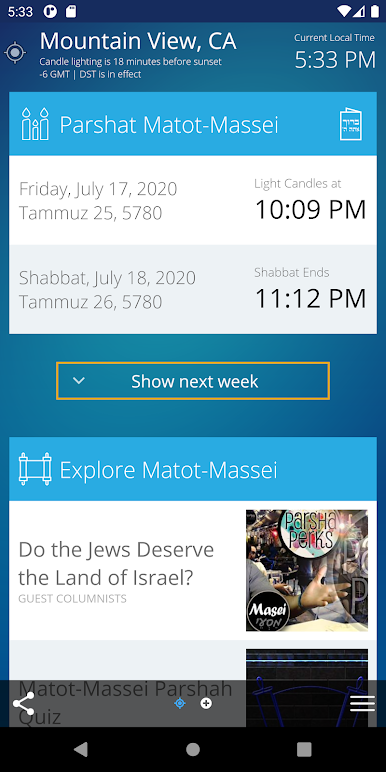
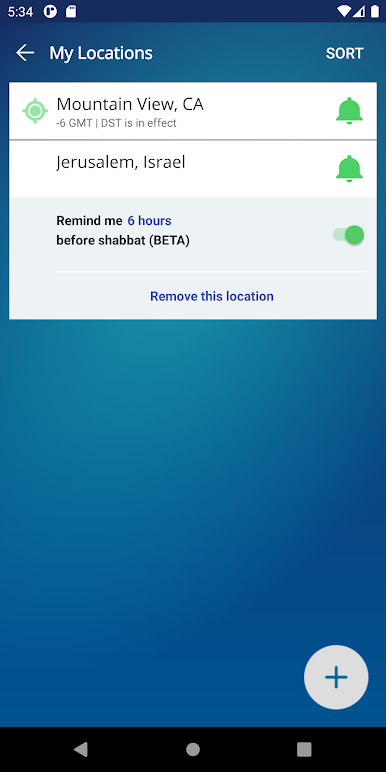
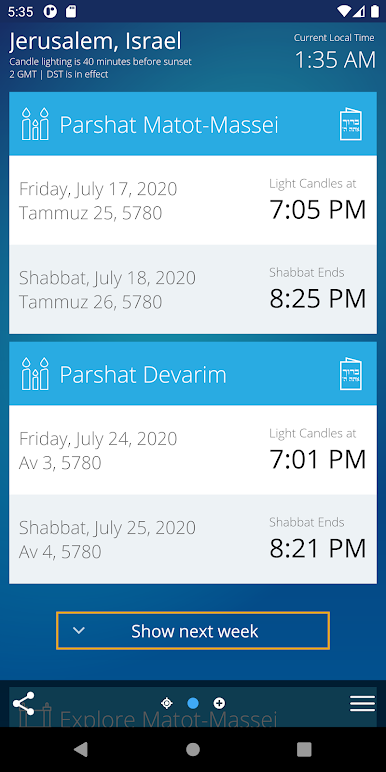
เล่น Shabbat & Holiday Times บน PC ได้ง่ายกว่า
-
ดาวน์โหลดและติดตั้ง BlueStacks บน PC ของคุณ
-
ลงชื่อเข้าใช้แอคเคาท์ Google เพื่อเข้าสู่ Play Store หรือทำในภายหลัง
-
ค้นหา Shabbat & Holiday Times ในช่องค้นหาด้านขวาบนของโปรแกรม
-
คลิกเพื่อติดตั้ง Shabbat & Holiday Times จากผลการค้นหา
-
ลงชื่อเข้าใช้บัญชี Google Account (หากยังไม่ได้ทำในขั้นที่ 2) เพื่อติดตั้ง Shabbat & Holiday Times
-
คลิกที่ไอคอน Shabbat & Holiday Times ในหน้าจอเพื่อเริ่มเล่น

