


Matomo Mobile 2 - Web Analytic
Spiele auf dem PC mit BlueStacks - der Android-Gaming-Plattform, der über 500 Millionen Spieler vertrauen.

Seite geändert am: May 20, 2025
Play Matomo Mobile - Web Analytics on PC
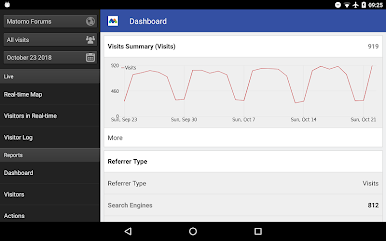
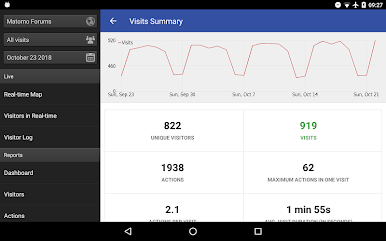
Matomo (formerly Piwik) is a downloadable, open source (GPL licensed) real time web analytics software program. It provides you with detailed reports on your website visitors: the search engines and keywords they used, the language they speak, your popular pages... and so much more.
You can access these reports by using this official Matomo Mobile App.
Read this if you use basic auth: https://matomo.org/faq/mobile-app/#faq_16336
Do you have a bug to report or a feature request? Please contact us: mobile@matomo.org or https://matomo.org/mobile
Features:
* Provides the same functionality and same look and feel as Matomo
* View your custom Matomo dashboards
* Available in more than 50 languages!
* Manage multiple Matomo accounts
* 'All Websites' dashboard
* Choose any Date/Period
* Choose any metric
* View graphs and sparklines
* View any available report, even reports generated by custom plugins
* Follow Visitors in Real Time or in Visitor Log
* Works with installations having thousands of websites
* Refresh reports easy
Requirements:
* Matomo/Piwik 2.0 or later
* Requires the ImageGraph plugin to be active
* Some icons in Visitor screen possibly won't work if you use HTTPS with an invalid certificate
* Doesn't work with Matomo for WordPress. Only Matomo On-Premise and Matomo Cloud.
Matomo Mobile is available for free and a project made by the community. You can participate in the Matomo Mobile App or Matomo. Please contact us: mobile@matomo.org
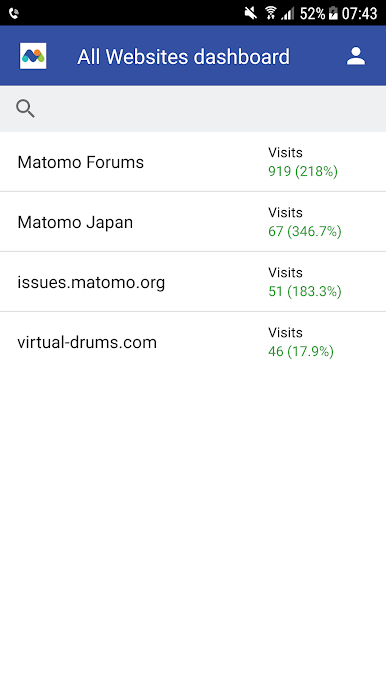
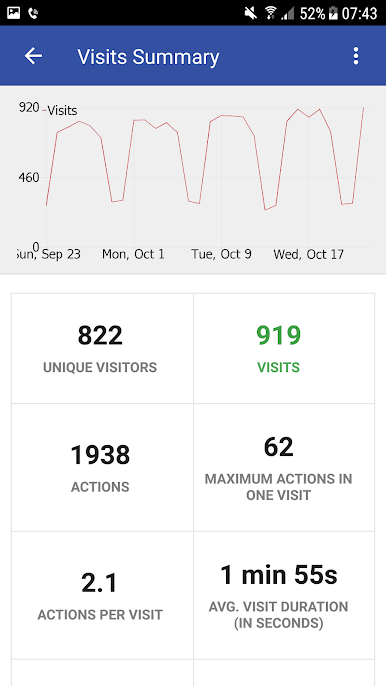
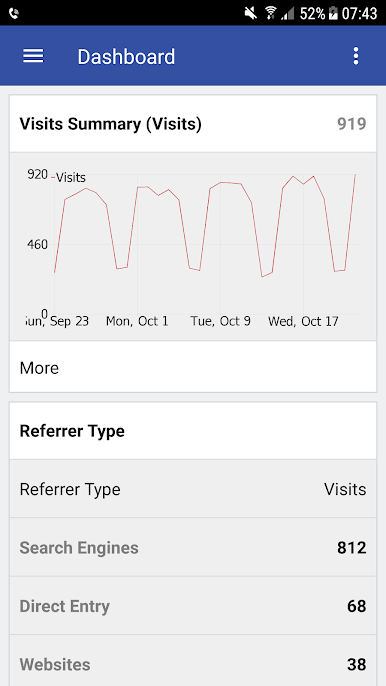
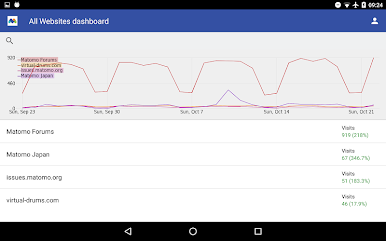
Spiele Matomo Mobile 2 - Web Analytic auf dem PC. Der Einstieg ist einfach.
-
Lade BlueStacks herunter und installiere es auf deinem PC
-
Schließe die Google-Anmeldung ab, um auf den Play Store zuzugreifen, oder mache es später
-
Suche in der Suchleiste oben rechts nach Matomo Mobile 2 - Web Analytic
-
Klicke hier, um Matomo Mobile 2 - Web Analytic aus den Suchergebnissen zu installieren
-
Schließe die Google-Anmeldung ab (wenn du Schritt 2 übersprungen hast), um Matomo Mobile 2 - Web Analytic zu installieren.
-
Klicke auf dem Startbildschirm auf das Matomo Mobile 2 - Web Analytic Symbol, um mit dem Spielen zu beginnen

