


Spectral Audio Analyzer
Graj na PC z BlueStacks – Platforma gamingowa Android, która uzyskała zaufanie ponad 500 milionów graczy!

Strona zmodyfikowana w dniu: Aug 6, 2025
Run Spectral Audio Analyzer on PC or Mac
Get freedom from your phone’s obvious limitations. Use Spectral Audio Analyzer, made by RadonSoft, a Music & Audio app on your PC or Mac with BlueStacks, and level up your experience.
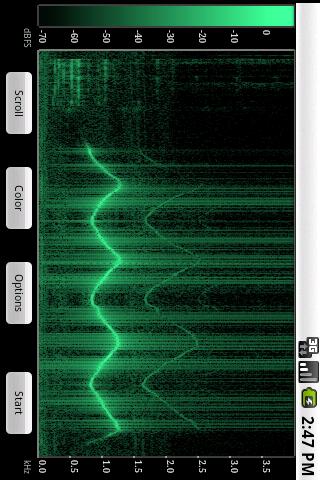
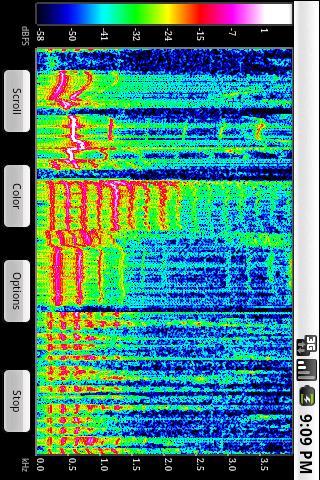
Spectral Audio Analyzer is basically a live picture of sound. It listens through the mic and paints a colored spectrogram in real time, so every clap, fan hum, or guitar note shows up as shifting bands of color. On a PC through BlueStacks it feels even better, since the bigger screen makes the fine lines and little harmonics much easier to pick out, and the laptop mic just works without fuss. It is not a game, but it is strangely fun to play with, because small changes in the room or a quick whistle turn into obvious patterns on the screen. A person can watch frequency on one axis, time on the other, and get a clear sense of what is going on.
What stands out is how practical it is. Someone can hunt for an annoying tone in the apartment, spot a 50 or 60 Hz hum from gear, or look at the harmonic ladder of a voice or instrument. Put a song on the speakers and the app shows which parts of the spectrum jump out, which helps when checking if the speakers lean boomy or thin. There is an 8 kHz bandwidth limit, so it will not cover the very top end, but for speech, room noise, and most everyday sounds, it does the job cleanly. The interface keeps out of the way, it opens and shows the world as sound, and that makes it easy to explore without needing a manual.
Ready to experience Spectral Audio Analyzer on a bigger screen, in all its glory? Download BlueStacks now.
Zagraj w Spectral Audio Analyzer na PC. To takie proste.
-
Pobierz i zainstaluj BlueStacks na PC
-
Zakończ pomyślnie ustawienie Google, aby otrzymać dostęp do sklepu Play, albo zrób to później.
-
Wyszukaj Spectral Audio Analyzer w pasku wyszukiwania w prawym górnym rogu.
-
Kliknij, aby zainstalować Spectral Audio Analyzer z wyników wyszukiwania
-
Ukończ pomyślnie rejestrację Google (jeśli krok 2 został pominięty) aby zainstalować Spectral Audio Analyzer
-
Klinij w ikonę Spectral Audio Analyzer na ekranie startowym, aby zacząć grę

