


このページには広告が含まれます
NU Connect
教育 | Northumbria University
BlueStacksを使ってPCでプレイ - 5憶以上のユーザーが愛用している高機能Androidゲーミングプラットフォーム

PCでNU Connectをプレイ
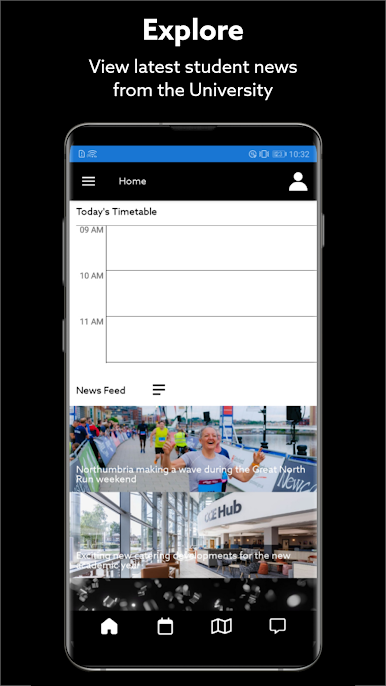
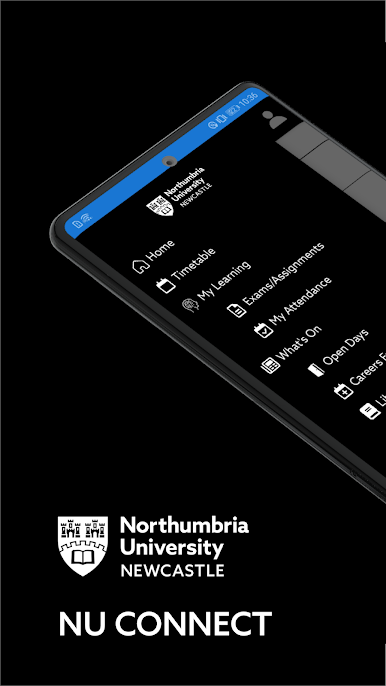
NU Connect - Northumbriaのさまざまなリソースやサービスを提供しているあなたの継続的な仲間。
あなたのことを知り、新しいクラスに着く方法、予備のPCやソフトウェアを探す方法、キャンパスでどんなイベントが行われているのか、そして洗濯機があなたのホールで利用できるかどうかをチェックする必要がありますか?これでこのアプリは全部です!
特徴:
学部オープンデー:
予約して、ここであなたの道を見つけて、キャンパスを見学してください。あなたはセッションとタスクのリストをスクロールして、あなたの日のための個人的なスケジュールを作り上げることができます。
私の学び:
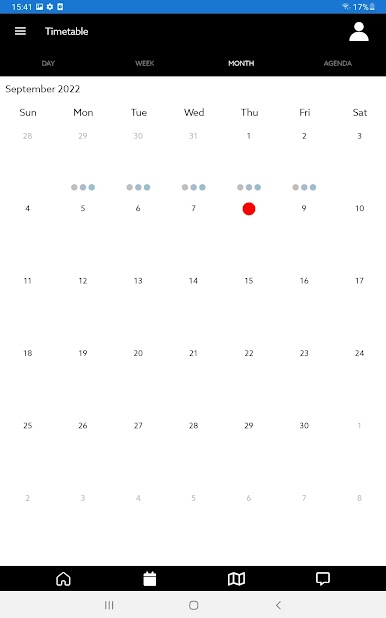
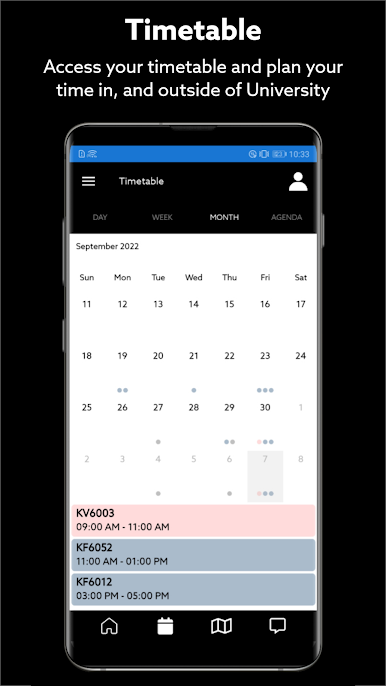
その時間と場所とともに、あなたのクラスと試験の時刻表にアクセスします。学年を通して行われるさまざまな調査にアクセスします。 1年目はEducational Analyticsを使用して学習統計を表示し、個人的な目標を設定することができます。
どうしたの:
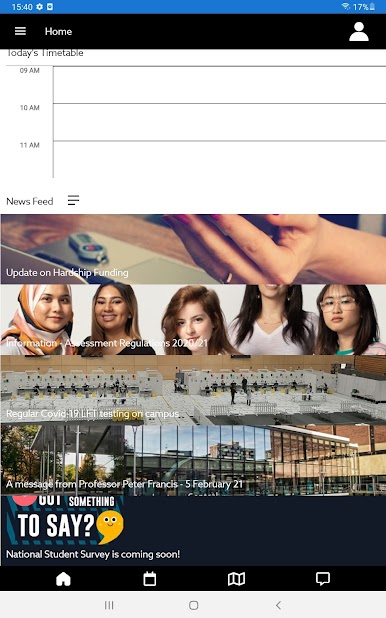
キャンパスで何が起こっているのか調べてください。最新の追加は私たちのキャリアイベントです - 何が関係しているか調べてください、そして、あなたが一緒に来ているならば、あなたの日を計画してください。
学生会:
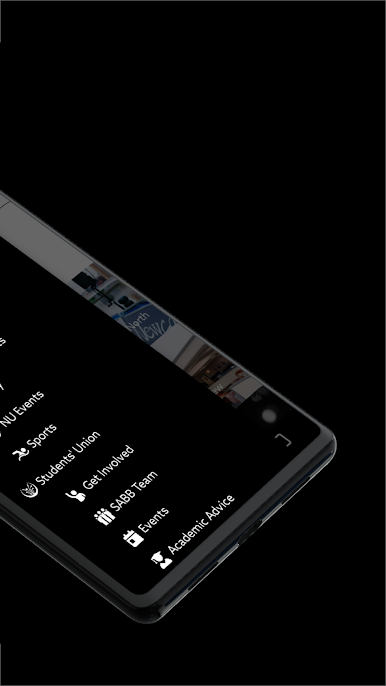
Freshers 'Week、Societies、Gigs、Academic Adviceなど、生徒の組合についてもっと詳しく知る。
ファインダ:
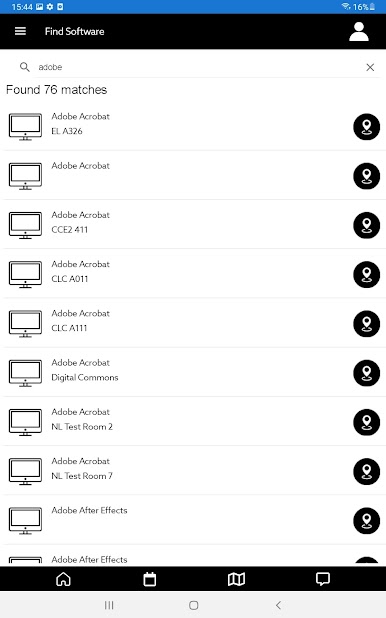
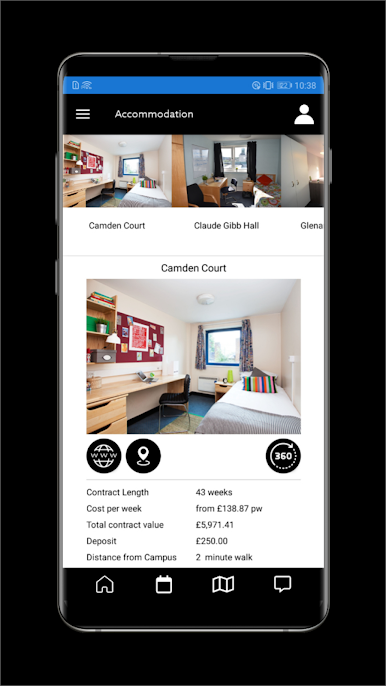
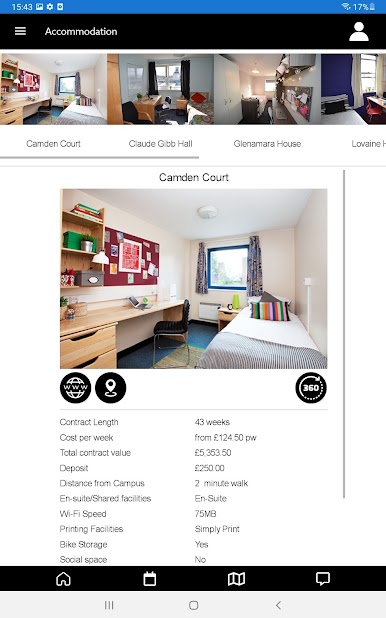
キャンパス全体で利用可能なPCとMac、およびどこで利用可能なソフトウェアを検索します。キャンパス内のさまざまな飲食店をスクロールして、それらがどこにあるのか、それらが何を売っているのかを調べます。大学の宿泊施設を見ると、360°のルームツアーで、それぞれの場所についてもっと知ることができます。 Safezoneを使用して、キャンパス内にいるときに接続して安全を確保することもできます。
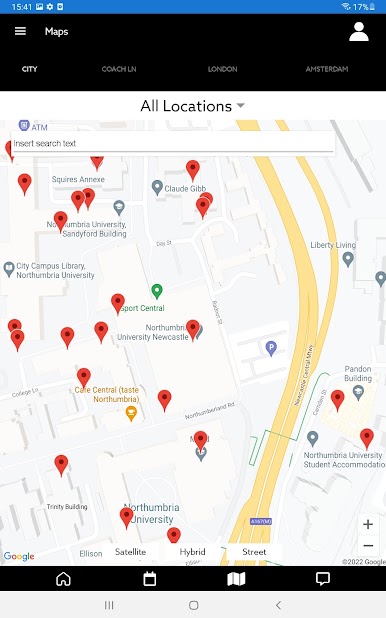
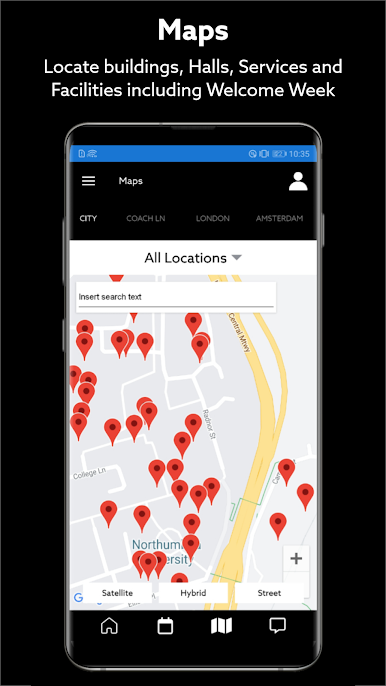
地図:
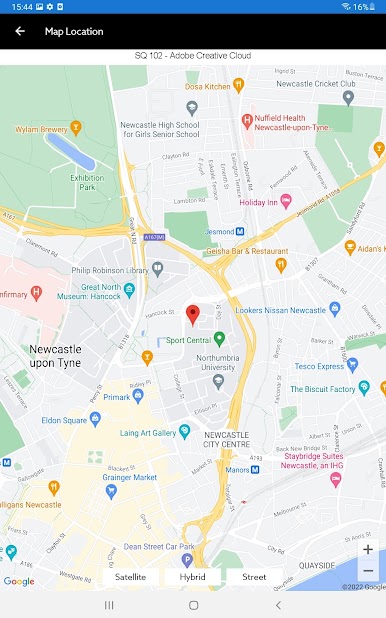
シティ、コーチレーン、ロンドン、アムステルダムのキャンパスマップに接続して、周りを探索しましょう。営業時間を含む建物の詳細を表示するには、[i]アイコンをタップします。
旅行:
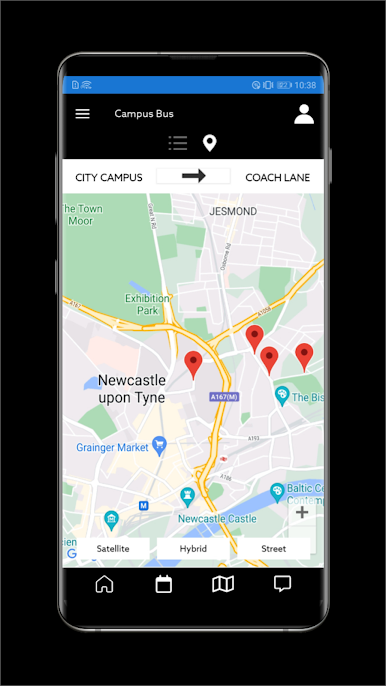
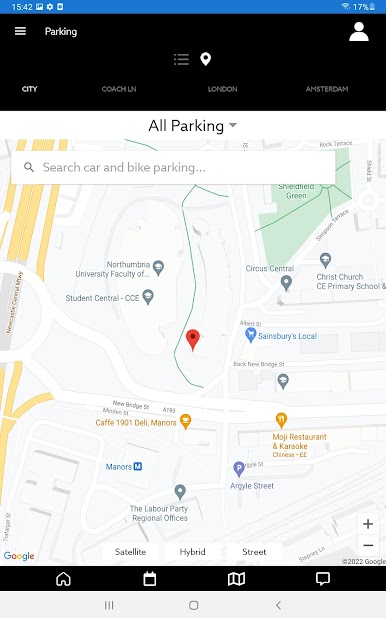
キャンパス内の利用可能な車と自転車の駐車場を見つけて、無料のキャンパスバスの時刻表と停車場を確認します。身障者用駐車場のアクセス可能性および位置情報、ならびにキャンパスへのルートについての情報を見つける。
重要な情報:
あなたがNorthumbriaに到着する前にあなたがNorthumbriaに到着したときに完了する必要がある登録行動のチェックリスト、およびStudent Conductドキュメンテーションと手順を含む重要な情報にアクセスしてください。
私のプロフィール:
電子メールアドレス、印刷クレジット、通知設定など、コアの詳細を確認してください。
メッセージ:
イベントに関する通知からPortal Inquiryの返信まで、NU Connectアプリを介して送信されたメッセージにアクセスします。
注:ログイン時には、名前と電子メールではなく、電子メール内で 'Stentintid'を使用する必要があります。
すなわち。学生ID 'a5243gd' - >ログイン用の電子メールは以下のように使用されます:a5243gd@northumbria.ac.uk
あなたのことを知り、新しいクラスに着く方法、予備のPCやソフトウェアを探す方法、キャンパスでどんなイベントが行われているのか、そして洗濯機があなたのホールで利用できるかどうかをチェックする必要がありますか?これでこのアプリは全部です!
特徴:
学部オープンデー:
予約して、ここであなたの道を見つけて、キャンパスを見学してください。あなたはセッションとタスクのリストをスクロールして、あなたの日のための個人的なスケジュールを作り上げることができます。
私の学び:
その時間と場所とともに、あなたのクラスと試験の時刻表にアクセスします。学年を通して行われるさまざまな調査にアクセスします。 1年目はEducational Analyticsを使用して学習統計を表示し、個人的な目標を設定することができます。
どうしたの:
キャンパスで何が起こっているのか調べてください。最新の追加は私たちのキャリアイベントです - 何が関係しているか調べてください、そして、あなたが一緒に来ているならば、あなたの日を計画してください。
学生会:
Freshers 'Week、Societies、Gigs、Academic Adviceなど、生徒の組合についてもっと詳しく知る。
ファインダ:
キャンパス全体で利用可能なPCとMac、およびどこで利用可能なソフトウェアを検索します。キャンパス内のさまざまな飲食店をスクロールして、それらがどこにあるのか、それらが何を売っているのかを調べます。大学の宿泊施設を見ると、360°のルームツアーで、それぞれの場所についてもっと知ることができます。 Safezoneを使用して、キャンパス内にいるときに接続して安全を確保することもできます。
地図:
シティ、コーチレーン、ロンドン、アムステルダムのキャンパスマップに接続して、周りを探索しましょう。営業時間を含む建物の詳細を表示するには、[i]アイコンをタップします。
旅行:
キャンパス内の利用可能な車と自転車の駐車場を見つけて、無料のキャンパスバスの時刻表と停車場を確認します。身障者用駐車場のアクセス可能性および位置情報、ならびにキャンパスへのルートについての情報を見つける。
重要な情報:
あなたがNorthumbriaに到着する前にあなたがNorthumbriaに到着したときに完了する必要がある登録行動のチェックリスト、およびStudent Conductドキュメンテーションと手順を含む重要な情報にアクセスしてください。
私のプロフィール:
電子メールアドレス、印刷クレジット、通知設定など、コアの詳細を確認してください。
メッセージ:
イベントに関する通知からPortal Inquiryの返信まで、NU Connectアプリを介して送信されたメッセージにアクセスします。
注:ログイン時には、名前と電子メールではなく、電子メール内で 'Stentintid'を使用する必要があります。
すなわち。学生ID 'a5243gd' - >ログイン用の電子メールは以下のように使用されます:a5243gd@northumbria.ac.uk

NU ConnectをPCでプレイ
-
BlueStacksをダウンロードしてPCにインストールします。
-
GoogleにサインインしてGoogle Play ストアにアクセスします。(こちらの操作は後で行っても問題ありません)
-
右上の検索バーにNU Connectを入力して検索します。
-
クリックして検索結果からNU Connectをインストールします。
-
Googleサインインを完了してNU Connectをインストールします。※手順2を飛ばしていた場合
-
ホーム画面にてNU Connectのアイコンをクリックしてアプリを起動します。

